Open a kit to edit it: one scrolling page that saves as you type, with a live preview beside it.
- Basics — name, website and up to 3 logos. Add a light and a dark version and we use the one that stands out on each background.
- Look — up to 6 colours (Main for card backgrounds, Accent for highlighted caption words and buttons), a heading and a body font, and look & feel notes.
- Voice — your tone (Friendly, Bold, Premium, Playful, Expert, Calm, or your own words), tagline, call to action and up to 8 selling points.
- Products — name, price, description, link and up to 6 photos each. Photos keep your real product in the video.
- Rules — words to avoid and other rules. Every script is checked for these words before anything is made.
TIP
The Preview shows how your kit looks in a video without generating anything. The checklist under it — logo, colours, heading font, tone, a product, tagline or CTA — shows what’s still missing.
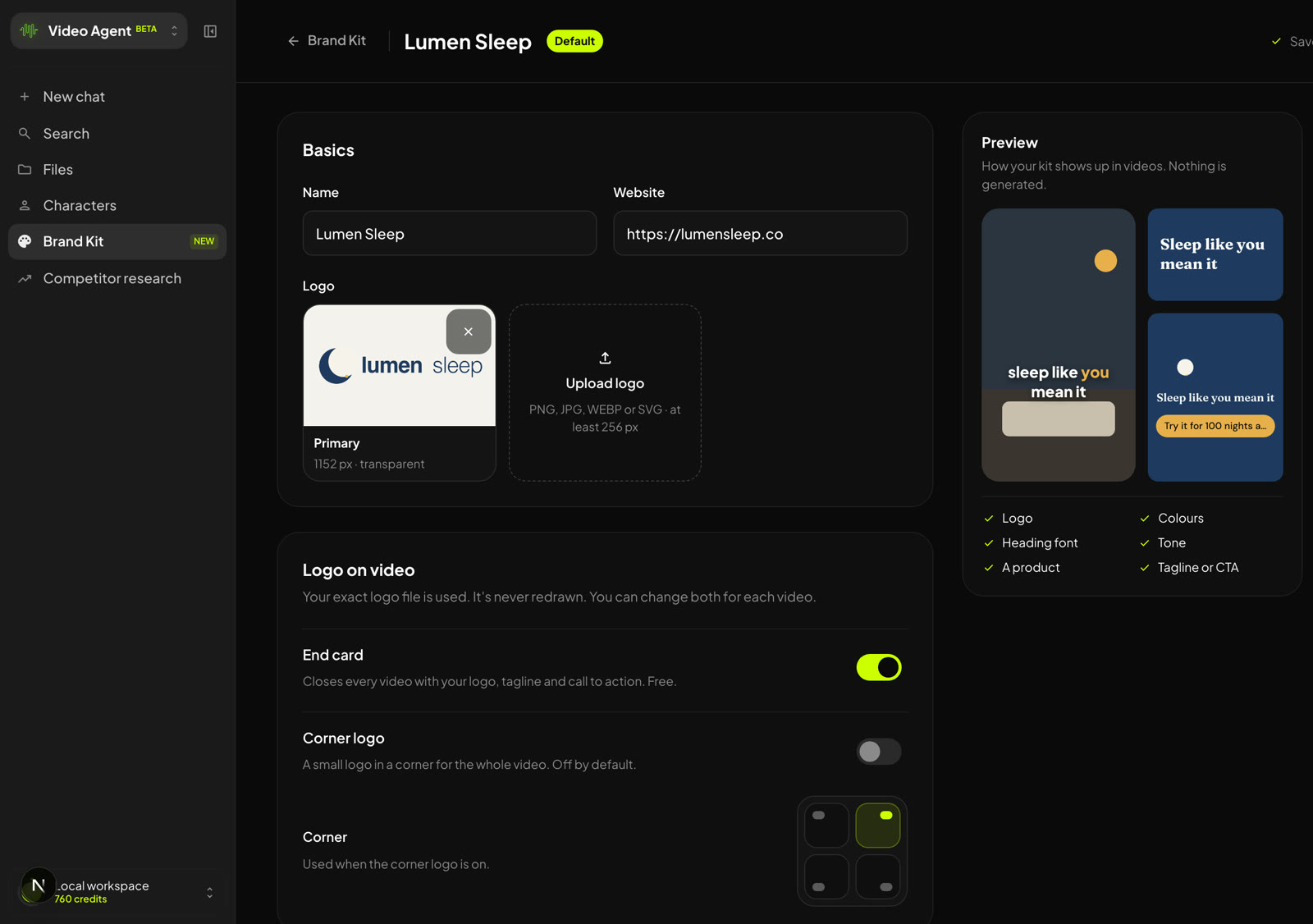 A kit open for editing — Basics and Logo on video on the left; the live preview and the six-point checklist on the right.
Was this article helpful?
That’s Great!
Thank you for your feedback
Sorry! We couldn't be helpful
Thank you for your feedback
Feedback sent
We appreciate your effort and will try to fix the article