Synthesys turns a chat into a production-ready video. You describe what you want; the agent writes the script, casts a presenter, storyboards every scene, renders the footage and delivers a finished cut — pausing to ask for your approval before anything is spent.
1 Describe it — one or two sentences in plain language is enough to start.
2 Review it — the agent shows its plan, script and imagery before rendering.
3 Get the video — a finished cut with voiceover, music and captions, ready to download and post.
The home screen
Everything starts at “What are we creating today?”
- The composer — type your brief here. / opens skills, @ attaches your images and assets.
- Template shelves — For You, Marketing & Social, Explainer & Educational, Video Clone, URL to Video, Restyle, and Film & Drama (coming soon). Tiles play a live preview on hover.
- The sidebar — New chat, Search, Files, Characters, Brand Kit, Competitor research, and every chat you’ve started.
- Credits pill — bottom-left: your balance and account menu, always one click away.
TIP
A video mid-build shows a Resume pill at the top of the home screen — one click puts you back in that chat.
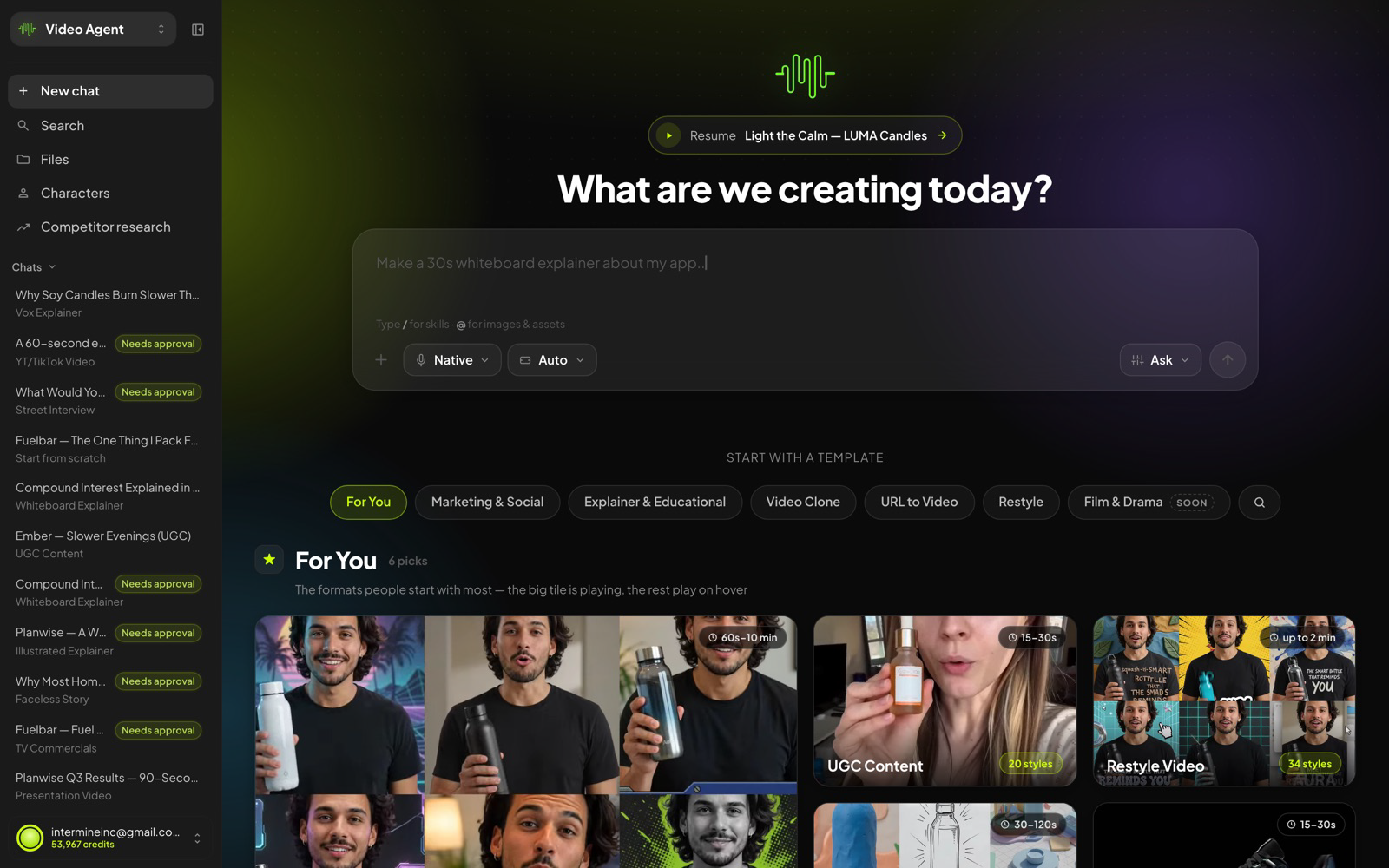
Home — composer in the middle, template shelves below, your chats and credits on the left.
Was this article helpful?
That’s Great!
Thank you for your feedback
Sorry! We couldn't be helpful
Thank you for your feedback
Feedback sent
We appreciate your effort and will try to fix the article