The people, assets and brand behind your videos: a library of ready presenters, characters you design yourself, your own digital twin, every file the agent has ever made for you — and a Brand Kit that keeps every video on-brand.
Files — everything in one place
Files in the sidebar is your library: every upload and every generated asset, auto-grouped by the chat that made it. No exports, no digging.
- Filter by All / Images / Videos, or search by name — briefs, brands and project titles all match.
- Every finished video, scene clip, storyboard and keyframe is here — reusable in any new brief via @.
- Download anything individually with the button on its card.
TIP
Keep local copies of finished videos you care about —your library is your working space, not your archive.
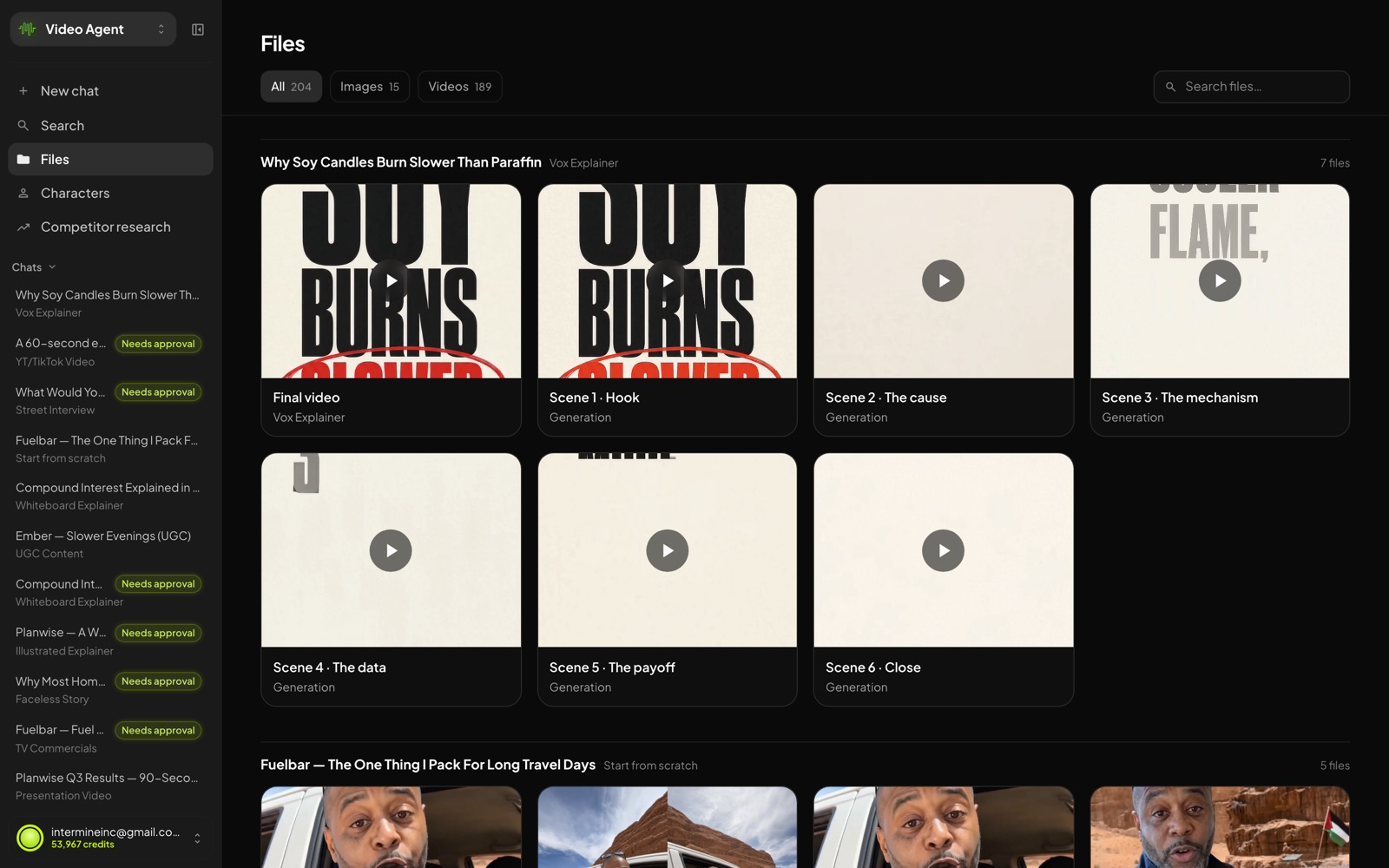 Files — final cuts and scene generations, grouped under the chat that created them.
The Character Library
Ready-made presenters for any video — browsable, filterable, and consistent across scenes once cast.
- Open Characters in the sidebar and browse the library — filter by gender, age, hair, skin tone, facial hair and eye colour.
- Star favourites to keep your go-to presenters one tab away.
- Cast one by name in any brief: “use Ingrid as the presenter.”
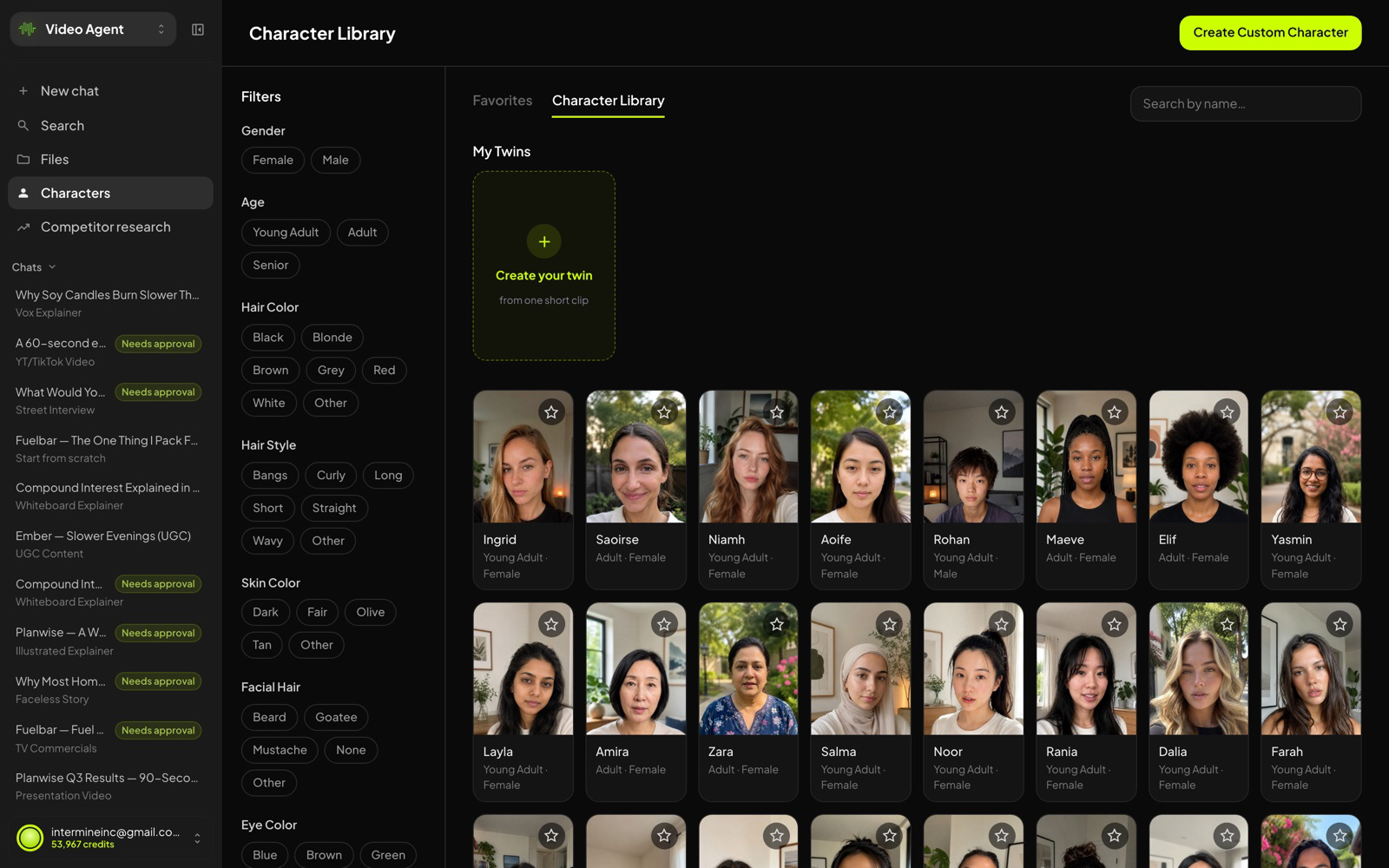
The Character Library — filters on the left, your Twins pinned at the top.
Custom characters
Need a presenter that doesn’t exist yet? Describe them and the agent designs the character and puts them straight to work.
- Click Create Custom Character — it drops you into the composer with the recipe loaded.
- Describe their look — age, style, outfit, vibe — and what they should say.
- The estimate appears under the composer before you send; the character joins your library for reuse.
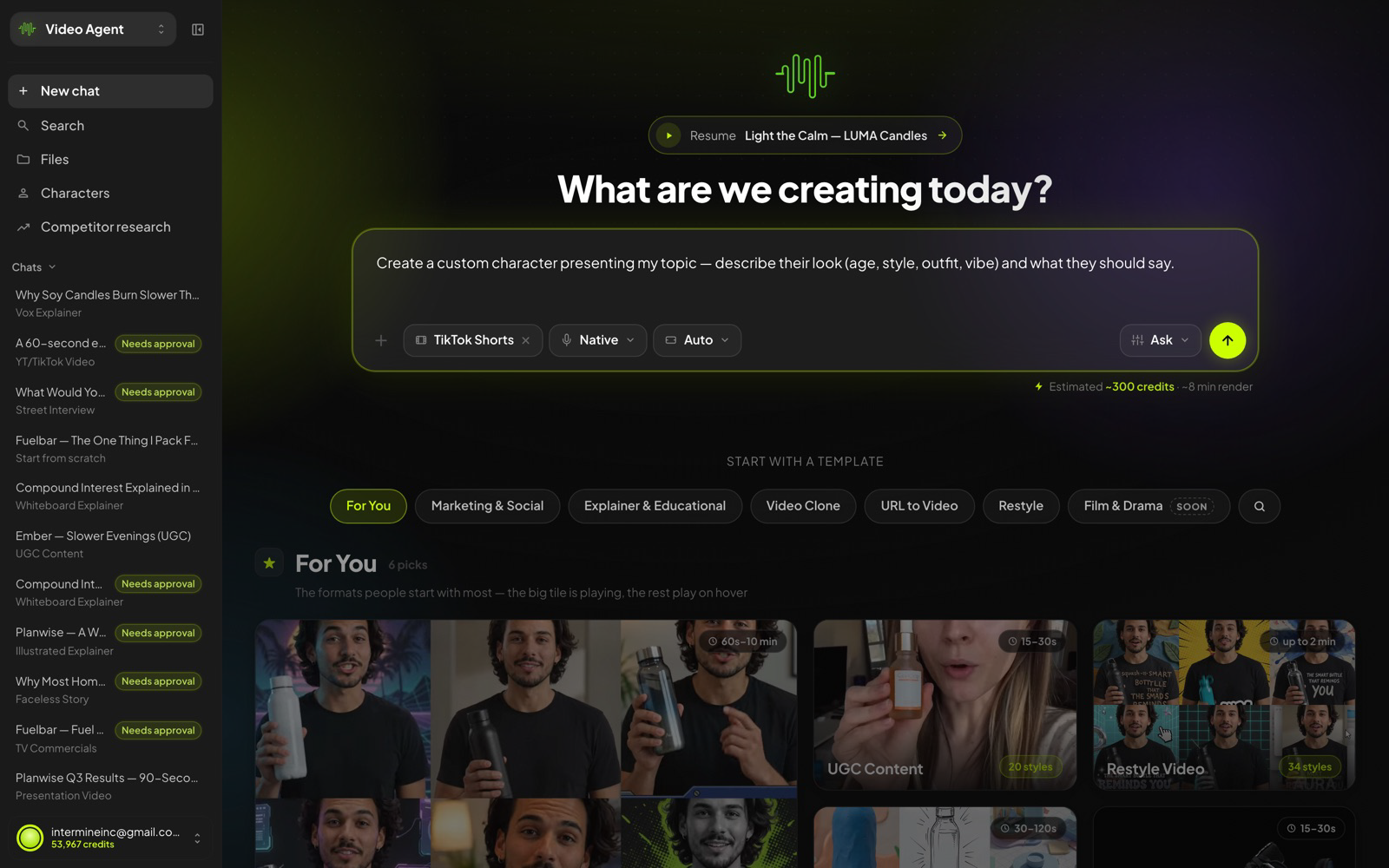
Custom character via the composer — with the cost estimate (~300 credits, ~4 min render for a TikTok Short) shown before you commit.
Was this article helpful?
That’s Great!
Thank you for your feedback
Sorry! We couldn't be helpful
Thank you for your feedback
Feedback sent
We appreciate your effort and will try to fix the article